
ESPhome Local Countdown Timer
Every day, I need to run a heating element for 60 minutes. A perfect job for ESPhome. I want to control the time and start with Home Assistant, but the timer must run independently of Home Assistant. So once started, the timer will run, regardless if I reboot Home Assistant in the mean time.
I do want to have some feedback from the timer in Home Assistant on how many minutes there are left in the countdown.
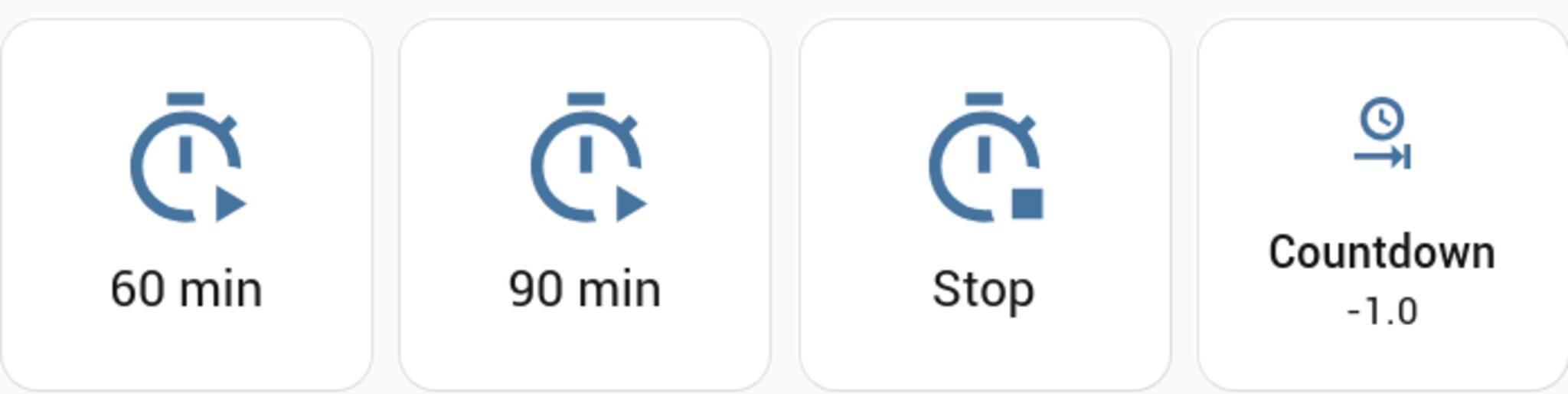
Components
I need a few components to pull this off.
Sonoff S55 wall socket

(Unfortunately, these are not sold anymore. But any ESPhome smart plug will work.)
ESPhome
ESPhome is alternative firmware for a lot of smart devices. All my Sonoff devices have been converted to this firmware. It allows you to have a “no-code” configuration file that will configure the behaviour of the device.
Next to sensors, ESPhome has the ability to expose actions to Home Assistant. These actions can be called with parameters.
Perfect in my case to start a timer with a specifiable amount of minutes.
Home Assistant
Home Assistant runs most of my home automation. It is the glue between sensors, events and actuators. It has lots of very usefull integrations (plugins) to add more functionality to the system.
ESPhome configuration
This section will only show the required components for this to work. There are a ton of setup-guides on how to get started with ESPhome.
Substitutions
I use substitutions to make sure that the code itself is easily portable between devices.
substitutions:
  name: esp-ab2da6
Sensor
A sensor signals to Home Assistant the number of minutes that are remaining.
It is a template sensor that is not directly linked to any physical sensors in the device.
This sensor will be used to track the remaining number of minutes left in the countdown. The value of the sensor will be updated by the script, so there is no need for a timed automatic update.
sensor:
  - platform: template
    name: ${name}_countdown
    icon: 'mdi:clock-end'
    id: countdown
    update_interval: never
Action
Actions are created in the api section. These actions will be discovered by Home Assistant like the sensors and switches.
I need an action to start the timer and an action to stop the timer. The start action will take a number of minutes as input and start the timer from that value.
The timer_start action defines an integer input variable minutes.
When the action is called, the run_timer script is executed and the value of the action’s minutes variable is passed to the timer_minutes variable defined by the script.
The timer_stop action simply stops the execution of the run_timer script and turns off the relay.
# Enable Home Assistant API
api:
  actions:
    - action: timer_start
      variables:
        minutes: int
      then:
        script.execute:
          id: run_timer
          timer_minutes: !lambda 'return minutes;'
    - action: timer_stop
      then:
      - script.stop:
          id: run_timer
      - switch.turn_off:
          id: relay
Script
The script updates the template sensor with the value of timer_minutes (here the initial value) and turns on the relay.
When the value of the template sensor is above 0, the script waits for 1 minute, decrements the current value of the template sensor by 1 and publishes the new value back to the template sensor.
When the value of the template sensor is not above 0, the script turns off the relay and ends.
script:
  - id: run_timer
    parameters:
      timer_minutes: int
    then:
      - sensor.template.publish:
          id: countdown
          state: !lambda 'return timer_minutes;'
      - switch.turn_on:
          id: relay
      - while:
          condition:
            - sensor.in_range:
                id: countdown
                above: 0.0
          then:
            - delay: 1 minutes
            - sensor.template.publish:
                id: countdown
                state: !lambda 'return id(countdown).state - 1;'
      - switch.turn_off:
          id: relay
Home Asssistant configuration
In Home Assistant I want a button to start the timer with a predefined number of minutes. This button will call the action timer_start.
Button
In this configuration, the buttons are placed in a horizontal grid to group them together.
Start
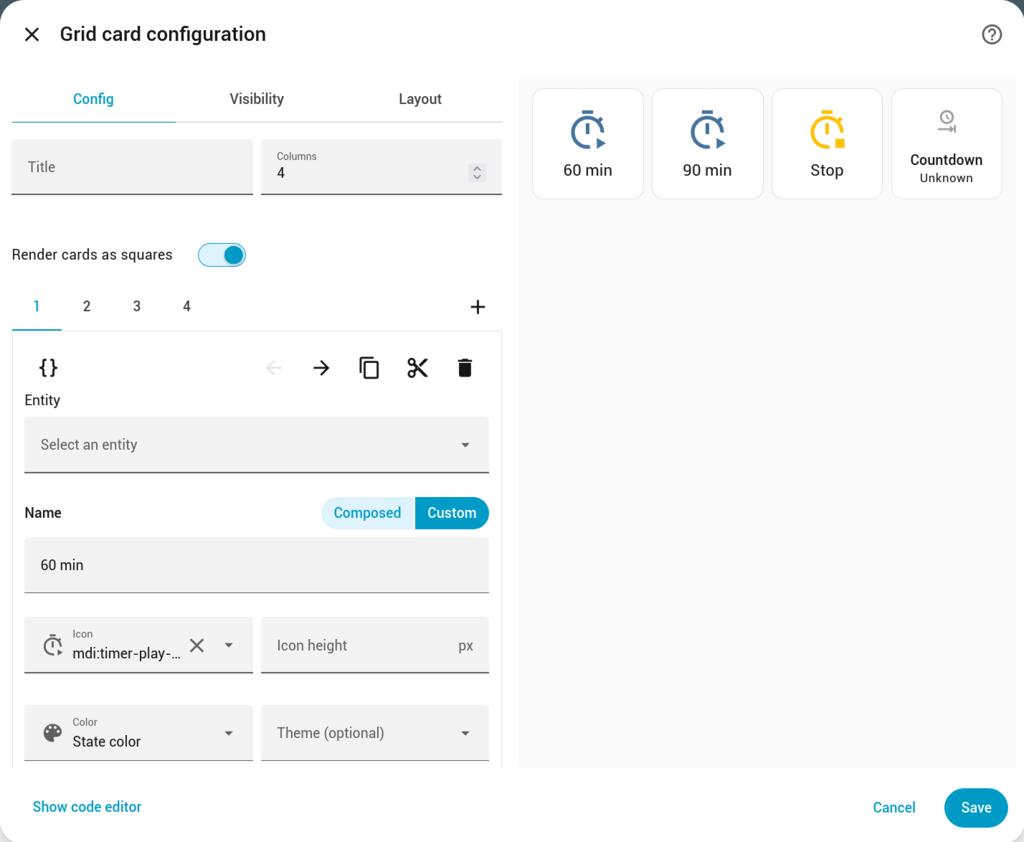
The Interaction section of a button is smart. If I select an action, it shows fields for all required variables.
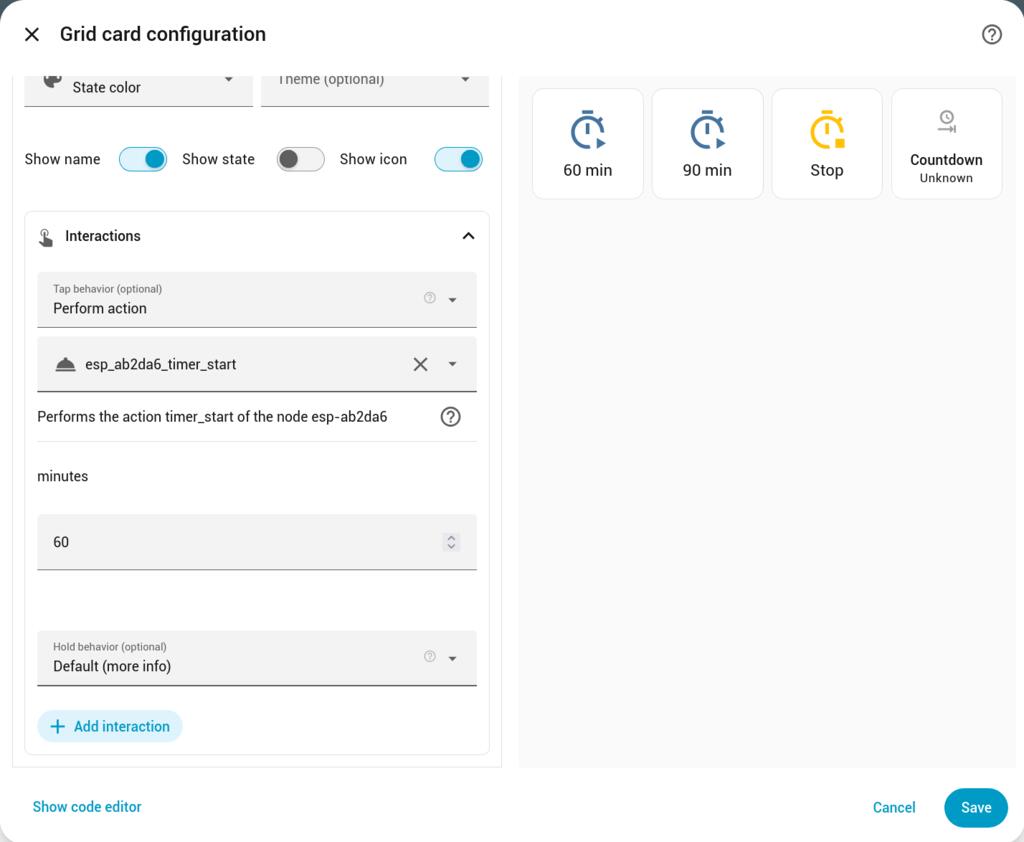
Selecting the timer-start action from the ESPhome entity, it automatically presents a field to enter the number of minutes.
An entity for the button is not required.
  - show_name: true
    show_icon: true
    type: button
    tap_action:
      action: perform-action
      perform_action: esphome.esp_ab2da6_timer_start
      target: {}
      data:
        minutes: 60
    name: 60 min
    icon: mdi:timer-play-outline
    grid_options:
      columns: 3
      rows: 2
Stop
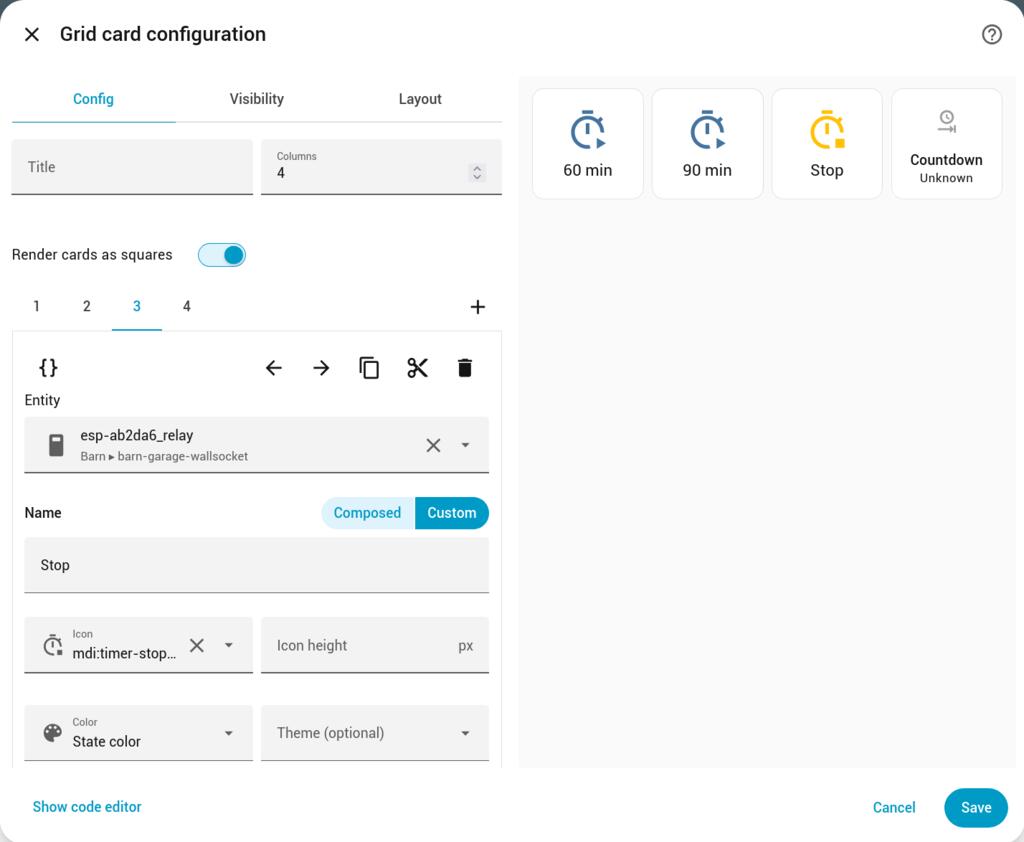
For the timer-stop action from the ESPhome entity, I do select the relay entity. This way, the button will change color when the relay is on, indicating that the stop button can be pressed.
  - show_name: true
    show_icon: true
    type: button
    entity: switch.esp_ab2da6_esp_ab2da6_relay
    name: Stop
    icon: mdi:timer-stop-outline
    tap_action:
      action: perform-action
      perform_action: esphome.esp_ab2da6_timer_stop
      target: {}
Sensor
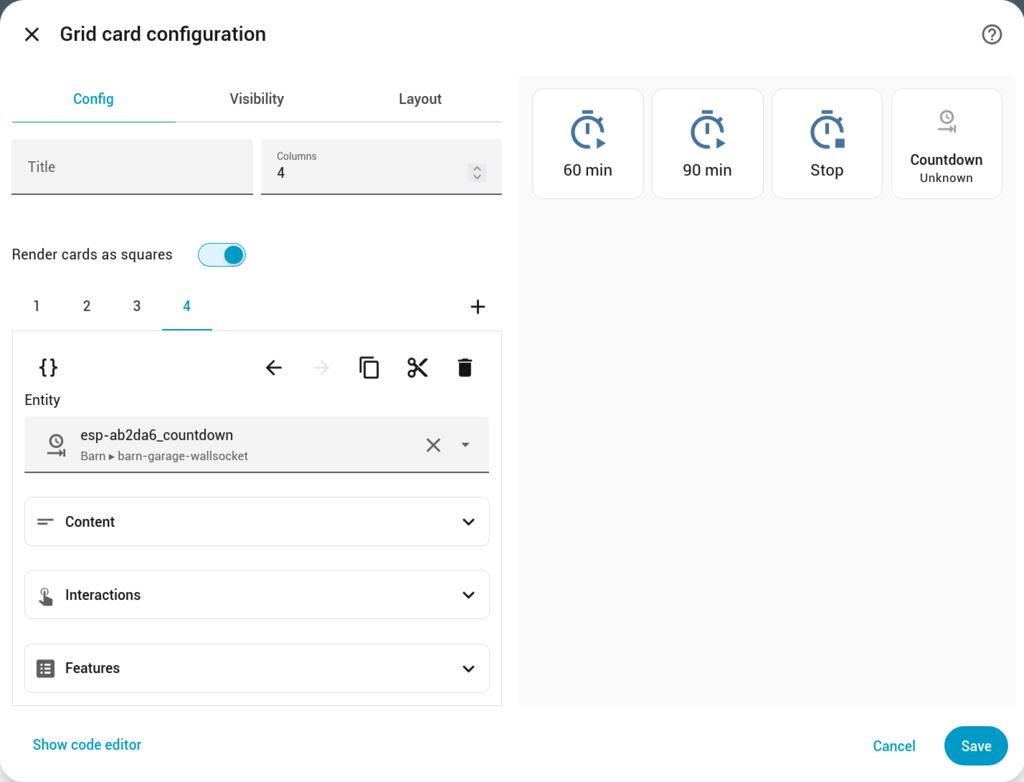
The remaining minutes of the ESPhome countdown timer are sent to Home Assistant as a sensor countdown. A sensor entity will display the value of the timer.
  - type: tile
    grid_options:
      columns: 6
      rows: 2
    entity: sensor.esp-ab2da6_countdown
    name: Countdown
    icon: mdi:clock-end
    show_entity_picture: false
    hide_state: false
    vertical: true
    features_position: bottom